No exact matches found in titles, headings, slugs, or excerpts. Showing posts containing your search terms in the content.
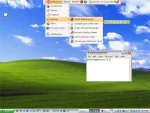
Portable Ubuntu Remix for Windows (Pubuntu) is a project led by Claudio Cacsar Sánchez Tejeda, utilizing CoLinux (Cooperative Linux) to allow users to run a full Ubuntu Linux environment on top of Windows. CoLinux, a port of the Linux kernel, is an open-source virtual machine, which functions similarly to QEMU but is often praised for its superior performance.
Sharing Files Between Ubuntu and Windows. Need to transfer files between Linux and Windows using a bootable USB drive? By default, Ubuntu's casper script mounts the USB drive as read-only for non-root users. This restriction prevents saving files to the USB when running Ubuntu live from a flash drive. However, with a simple file sharing tweak, you can enable full read/write access, allowing seamless file sharing across both systems.
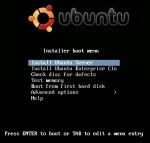
Run Ubuntu Server from USB; Easily create a Live USB Bootable Ubuntu Server using YUMI from within Windows, or using native tools on Linux and macOS. The following guide covers multiple proven methods to install, boot, and run Ubuntu Server from a USB flash drive. Once completed, you can run Ubuntu Server Edition live from USB or install it to an internal hard drive. This is especially useful if your system lacks a CD or DVD drive but supports USB booting.
Create a Puppy Linux Live USB from Windows, Linux, or MacOS. In the following section, I will show you several methods to install, boot, and run a Live Puppy Linux system from a bootable USB flash drive. You can use the YUMI multiboot bootable USB drive maker tool from within Windows or the dd command from Linux or MacOS. Although packed with popular features, this Live Linux distribution aims to remain lightweight and small, allowing it to run exceptionally well on older computer hardware.
Boot from a USB Ubuntu Live with Persistence: Learn how to create a bootable USB stick that not only runs Ubuntu Live but also remembers your settings and files with casper or writable persistence. This guide shows how to use YUMI from Windows (or Linux via WINE), as well as other tools like Etcher and the dd command for advanced users.
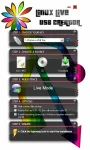
Linux Live USB Creator, also known as LiLi USB Creator, is a powerful tool for creating bootable USB flash drives loaded with various Linux distributions. With it, users can easily install different Linux versions to a USB, resulting in a bootable Live USB with optional persistence. LiLi enables users to create a Linux bootable USB flash drive from an ISO image, CD, or IMG file. The utility can even download the ISO or IMG file for you.
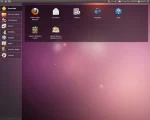
How to Install Ubuntu Netbook Remix (UNR) to a USB Drive: Ubuntu Netbook Remix (UNR) is a lightweight version of Ubuntu Linux developed by Canonical Ltd. for netbooks and other low powered computers. Though officially discontinued, it remains an excellent operating system for reviving old netbooks and laptops.
Install Xubuntu on USB: Create a bootable Xubuntu Live USB drive using Windows or Linux. In this guide, you'll learn how to easily install Xubuntu onto a USB flash drive using YUMI Multiboot software, Etcher, or the dd command. The YUMI USB boot method also supports persistence, allowing you to save changes between sessions by selecting a persistent file size during setup. This makes the tiny Xubuntu operating system an excellent choice for a portable Linux system you can run on almost any computer.
Want to create a USB bootable Linux Mint with persistence? This how to tutorial shows you how to create a Linux Mint Live USB with persistence so you can run Linux Mint directly from a USB drive and save your changes between sessions. You'll also learn how to use that same drive to install Mint to your computer's hard drive.
How to create a Live Lubuntu bootable USB flash drive with persistence. Lubuntu Linux is an official Ubuntu flavor that uses the lightweight LXQt desktop environment. It is designed to run efficiently on older computers, netbooks, and systems with limited RAM or CPU resources.

Making a Damn Small Linux Live USB (DSL). This is a revisit of my Windows DSL bootable USB installation tutorial: "Putting Damn Small Linux on a USB". Based on the 2.4 kernel, this tiny distribution is great to use for older and slower computers as well. It will fit and run on portable devices or thumb drives as small as 64 MB.
Where to Download Live Linux ISO files? A Live Linux ISO repository list of some of the most popular and widely recognized Live Linux ISO compilations available today. All of which can be converted into a Live Linux Bootable USB flash drive using tools like the YUMI Multiboot USB media creation tool. Each version listed contains direct link to the download page for that version.
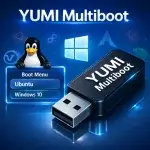
YUMI (Your USB Multiboot Installer) is a powerful multiboot USB boot tool that lets you build bootable flash drives for multiple operating systems. It also works as a USB Windows media creation tool or utility, enabling you to quickly create a custom USB drive packed with multiple ISO files and essential system diagnostic utilities. This makes it easy for anyone to boot from a USB drive to install operating systems, run Linux Live portably or troubleshoot and fix a PC.
The Universal USB Installer (UUI) is a powerful bootable USB software tool for creating USB boot drives from ISO files, perfect for installing Linux or Windows, running live systems, or building diagnostic toolkits. This versatile ISO to USB software makes it easy to boot from USB and create Live USBs for Linux distributions, Windows setup installers, antivirus tools, and system diagnostic utilities.
Easily create a bootable Live KNOPPIX USB flash drive using the Universal USB Installer. KNOPPIX is a free, open source, Debian based Live Linux distribution. It's well known for its portability, automatic hardware detection, and usefulness in system recovery, diagnostics, and hardware testing.

You can use this Pen Drive Linux Persistent USB File Creator to make a Persistent Ubuntu USB from Windows: Easily make a casper-rw persistent file or writable overlay file for Ubuntu and Ubuntu based distributions. This tool works from within Windows, letting you quickly create a loopback filesystem image (Overlay Image) that saves and restores Ubuntu changes while booted from a live USB. With persistence enabled, your live Ubuntu USB can remember system settings, installed applications, and personal files across reboots.
What Is Persistent Linux and Why Use It? If you've explored tutorials on sites like Pen Drive Linux, you've probably come across the concept of creating a persistent Linux bootable USB. But what does that actually mean? In this guide, we'll break down how it works, why saving data across reboots matters, and how to set up your own portable Linux system that remembers your changes.
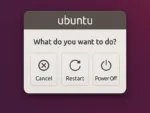
Prompt to eject CD: How to Bypass or Remove the "Please Remove the Disk and Press Enter" Prompt in Ubuntu. If you're booting Ubuntu from a USB drive and tired of seeing the "Please remove the disk, close the tray (if any) and press ENTER to continue" message every time you shut down or restart, you're not alone. This tutorial will walk you through how to remove the eject CD prompt in Ubuntu entirely. It's especially useful for users running Ubuntu from a bootable USB drive, as there's no CD to eject in that case.
Want to try a Live USB Kubuntu without installing it on your hard drive? A bootable USB lets you test it in live mode. With persistence enabled, you can save files, settings, and installed software for future sessions. This guide shows how to create a Kubuntu live bootable USB using tools like YUMI, Etcher, and dd, on Windows, Linux, or macOS.
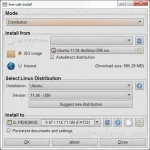
LiveUSB Install is a versatile third party tool used to create Live Linux Bootable USB drives. It enables you to easily transfer a Live Linux distribution of your choice onto a flash drive, ideal for testing or installing Linux systems without modifying your hard drive. You can write an existing ISO, use a CD/DVD as the source, or download a Linux ISO file directly from the internet.
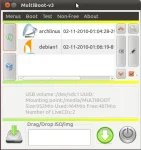
How to Create a Multisystem LiveUSB Flash Drive from Linux: Multisystem is a versatile tool designed to create Multiboot USB drives directly from Linux. Similar to the YUMI MultiBootISOs USB boot creator, it allows you to build a customized Multiboot USB flash drive with your preferred bootable Live Linux distributions. This guide provides step by step instructions on installing and using Multisystem while up and running from Ubuntu or another Debian based Operating System.
Are you looking to clear terminal history in Linux? Maybe clear bash history, erase session history, or permanently delete typed commands from the terminal? These are common questions for new Linux users. This guide explains how terminal history works and shows you how to view, manage, and completely clear command history in Linux.
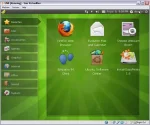
How to Install Easy Peasy to USB flash drive using Windows, Linux or macOS. EasyPeasy is a remix for Netbooks that is based on Ubuntu. It is a Linux Live portable operating system specifically designed and optimized for use on low resource netbooks.
How to Install Gentoo on USB: The following simple guide explains how to create a Gentoo Live bootable USB flash drive using Windows, a Gentoo Live ISO file, and the Universal USB Installer tool, or dd. By the end of this tutorial, you'll have a portable version of Gentoo Linux that you can boot directly from a USB drive.
Easily Create a Fedora Live USB: This walkthrough tutorial explains how to install and boot Fedora Linux from a USB flash drive from within Windows, Linux, or macOS by using Fedora Media Writer, YUMI Multiboot USB Creator, or the Linux dd command. Fedora is a free and open source Linux distribution sponsored by Red Hat and developed by a global community. It is known for integrating cutting edge technologies while remaining stable, secure, and well suited for developers, system administrators, and Linux enthusiasts who want to run or install Fedora from a bootable USB drive.
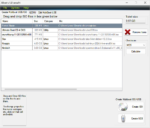
XBOOT is a neat little Multiboot ISO USB Creator for Windows. Similar to YUMI, this Windows based application lets you create a Live Linux Multiboot Bootable USB. You can also use it to build a Multiboot ISO file containing several distributions, which can then be burned to a CD or DVD.

Ventoy is a powerful, open source multiboot USB creator that lets you boot directly from multiple ISO files stored on a single USB drive. Instead of reformatting the USB for each ISO, you simply copy the files and select what to boot at startup. Just drag, drop, and boot.
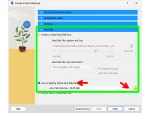
How to Boot a USB flash drive in VirtualBox. In this segment you will learn how to successfully boot a portable operating system from a USB flash drive or removable external hard drive while still running from within a Windows, Linux, or Mac OS X environment using vbox.
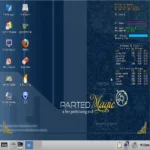
In the following tutorial, I cover how to create a Parted Magic bootable USB flash drive from within Windows. This fully functional portable Operating System doubles as a disk management utility to help you perform disk editing, disk imaging, and partitioning tasks with ease.
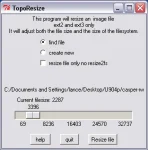
How to Resize Casper-RW Partition Images. TopoResize is a free image resizing tool originally written by Chris Semler. Initially created to resize images containing an ext2 or ext3 file system within Windows (such as those found in Colinux), it can also be used to create a new filesystem image as well as shrink or enlarge existing persistent overlay images.
