Search Results for: suse

No exact matches found in titles, headings, slugs, or excerpts. Showing posts containing your search terms in the content.

How to Make an OpenSUSE Bootable USB Drive

openSUSE bootable usb

Effortlessly Make an OpenSUSE Bootable USB Drive: This tutorial demonstrates multiple methods for creating a bootable OpenSUSE USB drive using YUMI, Etcher, or the DD command. Depending on your needs, you can boot a portable live environment from USB or perform a full installation to another USB stick or internal hard drive.

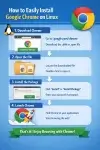
How to Install Chrome on Linux

How to Install Chrome on Linux

How to Install Chrome on Linux: This guide explains how to easily install the Google Chrome browser on several popular Linux distributions, including CentOS, Ubuntu/Debian, Fedora, openSUSE, and Arch Linux. Methods including yum, dnf, apt get install chrome and more.

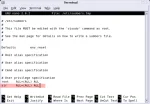
How to Add User to Sudoers File or Wheel Group

add user to sudoers list

Add User to Sudoers File in Linux: Adding a user to the sudoers file or wheel group is an essential step for granting administrative (root) privileges on a Linux system. In this guide, you will learn how to safely add a user to the sudoers file using group membership or the visudo command, which is the recommended and safest way to manage sudo permissions.

Whether you are using Ubuntu, Debian, Fedora, Arch, CentOS, openSUSE, or Gentoo, the steps below include distro specific instructions that work across modern Linux systems.

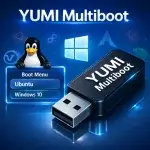
YUMI Multiboot USB Creator

YUMI Multiboot Bootable USB Drive

YUMI (Your Universal Multiboot Installer) is a free and open source multiboot USB creator that lets you store and boot multiple operating systems, Windows installers, Linux distributions, antivirus rescue disks, and recovery utilities from a single USB flash drive.

Unlike traditional bootable USB tools that write one ISO per device, YUMI allows you to add multiple bootable images to the same drive and manage them from a single boot menu. Whether you're creating a portable repair toolkit, testing operating systems, installing Windows, or exploring Live Linux distributions, YUMI makes it easy to keep everything organized on a single multiboot USB drive.

Additional operating systems and tools can be added later without reformatting or rebuilding the drive, making it easy to expand your multiboot toolkit as your needs change.

Live Linux ISO Downloads and Bootable USB Distributions

Live Linux ISO Files

Where to Download Live Linux ISO Files: Looking for Live Linux ISO files? This comprehensive directory contains some of the most popular Linux distributions, recovery environments, privacy-focused operating systems, security toolkits, server platforms, and bootable utilities available today. Every operating system listed below can be downloaded as an ISO image and written to a USB flash drive using tools such as YUMI, Universal USB Installer, Rufus, Ventoy, or balenaEtcher.

Universal USB Installer (UUI) Bootable USB Creator

Universal USB Installer

The Universal USB Installer (UUI) is a free bootable USB creator that lets you create bootable USB drives from ISO files. Use this bootable USB maker to install operating systems, run Linux live USB distributions, build multiboot USB toolkits, create Windows 11 installation media, or carry portable antivirus and recovery tools on a single USB flash drive - with full BIOS and UEFI boot support.

How to Create a Bootable USB from ISO using DD

create a bootable usb using dd

How to manually create a bootable USB from an ISO file using the Linux dd command. The dd utility can write an ISO directly to a USB drive from Linux, macOS, and other Unix-like operating systems. Because dd performs a direct bit for bit copy, it is commonly used to create bootable USB drives from Linux distributions, recovery tools, and other bootable ISO images.

Make a Live Bootable USB Kubuntu with Persistence

USB Kubuntu

Want to try a Live USB Kubuntu without installing it on your hard drive? A bootable USB lets you test it in live mode. With persistence enabled, you can save files, settings, and installed software for future sessions. This guide shows how to create a Kubuntu live bootable USB using tools like YUMI, Etcher, and dd, on Windows, Linux, or macOS.

What is the Default Root Password in Linux?

default root password linux

What Is the Default Root Password in Linux? Live vs Installed Systems Explained:

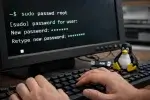
Most modern Linux distributions do not ship with a default root password. On Live systems, the root account is typically locked or disabled entirely. Administrative access is instead provided through sudo.