
Do you need to create MBR (Master Boot Records) on a USB flash drive? Some USB flash drives are notorious for having problems with corrupted Master Boot Records. If your system suddenly refuses to boot from the flash drive, the MBR may be at fault.
What is an MBR?
The Master Boot Record (MBR) is a special type of boot sector at the very beginning of partitioned storage devices, including hard drives and USB flash drives. It contains important information about the drive's partitions and a small amount of executable code for the boot process. The MBR is essential for booting the operating system from the drive. If the MBR is corrupted, the system may not be able to boot from the drive.
To fix the MBR, you can use the mbr package included with most Debian and Ubuntu-based distributions to install a new master boot record. Credit goes to BHSPitMonkey for pointing out this fix. The troubled drive he encountered was a Kingston Data Traveler.
The following instructions were written for an Ubuntu Linux operating environment. Similar systems may work as well.
How to Fix MBR Master Boot Record (Create MBR)
First we add the Debian Linux mbr package. Then we use it to create the new MBR on the USB flash drive.
- Open a terminal ctrl+alt+t and type sudo su
- Type apt-get install mbr
- Then, type fdisk -l to find out which device is your flash drive
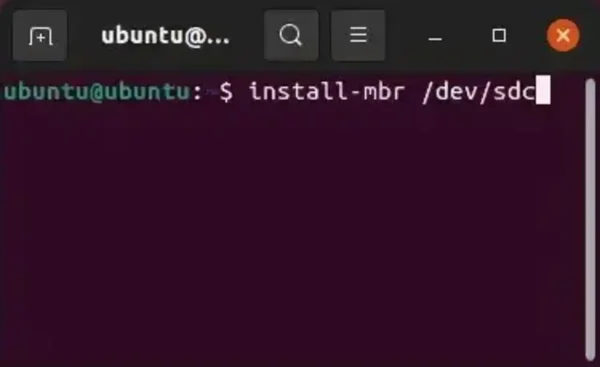
- Finally, type install-mbr /dev/sdx (replacing x with your flash device)
Hopefully this helped you fix mbr and get that not so cooperative flash drive to boot.
