
Looking to set up and create a local Ubuntu mirror or Debian mirror or host your own Debian repository or Ubuntu Repository? You can use your local hard drive or a network drive and share your mirror over a network or even on the internet. Having your own Debian Linux or Ubuntu mirrors enables you to drastically speed up the process of installing packages or complete netbuilds on one or more networked Linux PCs.
How to Create a Local Debian Mirror Repository
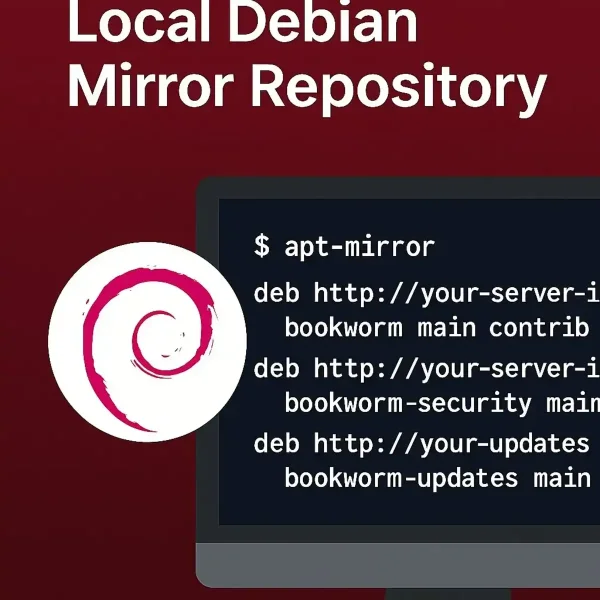
In the following steps, I'll guide you through the process of creating a local Debian mirror. The primary goal is to allow you to use a local repository to quickly install packages or perform Debian Linux builds on computers from your own local network.
NOTE: This method can be edited and used for building local Ubuntu mirrors too, if desired. To do this, simply replace the Debian sources with Ubuntu sources.
- First, open a terminal Ctrl+Alt+T and type the following to become root:
sudo su - Next, update your package list and install the prerequisites for hosting a local mirror:
sudo apt-get update sudo apt-get install apt-mirror apache2 rsync - Then, backup your existing mirror.list:
mv /etc/apt/mirror.list /etc/apt/backup-mirror.list - Now, you can proceed to create a new mirror list entry. Note that you can use the "gedit" command in place of "nano" if you have the graphical editor installed:
nano /etc/apt/mirror.list - Add the following to your mirror list for Debian bookworm. Once finished, save the file:
## apt-mirror configuration file ## The following are default configuration options (uncomment the singular # to change) # set base_path /var/spool/apt-mirror # set mirror_path $base_path/mirror # set skel_path $base_path/skel # set var_path $base_path/var # set defaultarch amd64 # set nthreads 20 set _tilde 0 ## sources deb http://deb.debian.org/debian bookworm main contrib non-free deb-src http://deb.debian.org/debian bookworm main contrib non-free deb http://security.debian.org/debian-security bookworm-security main contrib non-free deb-src http://security.debian.org/debian-security bookworm-security main contrib non-free deb http://deb.debian.org/debian bookworm-updates main deb-src http://deb.debian.org/debian bookworm-updates main contrib non-free deb http://deb.debian.org/debian bookworm-backports main deb-src http://deb.debian.org/debian bookworm-backports main contrib non-free - Finally, type the following to begin creating a local mirror:
apt-mirror
This entire process will take a while (it could even take hours depending on your connection speed), so it's best to start this process when you plan to be away from your computer for some time. Once finished, you can find your Debian mirrors stored in subdirectories located at /var/spool/apt-mirror/mirror/.
Make Your Debian Mirror Available over HTTP
To access your Debian mirror on a network, replace localhost in the following steps with the IP address of the PC hosting the Local Debian Repository.
- From the terminal, use the ln command to create a symbolic link for Debian:
ln -s /var/spool/apt-mirror/mirror/ftp.us.debian.org/debian /var/www/debian - Then, create a symbolic link for debian-security:
ln -s /var/spool/apt-mirror/mirror/security.debian.org/debian-security /var/www/debian-security - Make sure the web server user (e.g., www-data) has proper permissions to access these directories:
sudo chown -R www-data:www-data /var/www/debian sudo chown -R www-data:www-data /var/www/debian-security - Now you'll want to backup your original apt sources list:
mv /etc/apt/sources.list /etc/apt/backup-sources.list - Then, edit the apt sources list to include your local Debian source repositories:
gedit /etc/apt/sources.listAdd the following deb sources, replacing
<your-server-ip>with the actual IP address of your mirror server:deb http://<your-server-ip>/debian bookworm main contrib non-free deb-src http://<your-server-ip>/debian bookworm main contrib non-free deb http://<your-server-ip>/debian-security bookworm-security main contrib non-free deb-src http://<your-server-ip>/debian-security bookworm-security main contrib non-free deb http://<your-server-ip>/debian bookworm-updates main deb-src http://<your-server-ip>/debian bookworm-updates main contrib non-free deb http://<your-server-ip>/debian bookworm-backports main deb-src http://<your-server-ip>/debian bookworm-backports main contrib non-free - Finally, update your system to make sure all packages are current:
sudo apt-get update
That's all there is to it! You should now be able to perform all of your package management locally. I hope this helps you enjoy the ability to install Debian packages from your own local mirror or repository.
How to Create a Local Ubuntu Mirror Repository
Similar to the Debian mirror repository, follow these steps to create a local Ubuntu mirror. This will allow you to quickly install packages or perform Ubuntu builds on your local network.
- First, open a terminal Ctrl+Alt+T and type the following to become root:
sudo su - Next, update your package list and install the prerequisites for hosting a local mirror:
sudo apt-get update sudo apt-get install apt-mirror apache2 rsync - Then, backup your existing mirror.list:
mv /etc/apt/mirror.list /etc/apt/backup-mirror.list - Now, you can proceed to create a new mirror list entry:
nano /etc/apt/mirror.list - Add the following to your mirror list for Ubuntu jammy (22.04). If you prefer to use lunar (23.04), replace all instances of jammy with lunar:
## apt-mirror configuration file set _tilde 0 ## sources deb http://archive.ubuntu.com/ubuntu/ jammy main restricted universe multiverse deb http://archive.ubuntu.com/ubuntu/ jammy-updates main restricted universe multiverse deb http://security.ubuntu.com/ubuntu/ jammy-security main restricted universe multiverse deb http://archive.ubuntu.com/ubuntu/ jammy-backports main restricted universe multiverse - Finally, type the following to begin creating a local mirror:
apt-mirror
This entire process may also take some time, depending on your connection speed. Once finished, you can find your Ubuntu mirrors stored in subdirectories located at /var/spool/apt-mirror/mirror/.
Make Your Ubuntu Mirror Available via HTTP
To access your Ubuntu mirror on a network, replace localhost in the following steps with the IP address of the PC hosting the Local Ubuntu Repository.
- From the terminal, use the ln command to create a symbolic link for Ubuntu:
ln -s /var/spool/apt-mirror/mirror/archive.ubuntu.com/ubuntu /var/www/ubuntu - Make sure the web server user (e.g., www-data) has proper permissions to access these directories:
sudo chown -R www-data:www-data /var/www/ubuntu - Now you'll want to backup your original apt sources list:
mv /etc/apt/sources.list /etc/apt/backup-sources.list - Then, edit the apt sources list to include your local Ubuntu source repositories:
gedit /etc/apt/sources.listAdd the following deb sources, replacing
<your-server-ip>with the actual IP address of your mirror server:deb http://<your-server-ip>/ubuntu jammy main restricted universe multiverse deb http://<your-server-ip>/ubuntu jammy-updates main restricted universe multiverse deb http://<your-server-ip>/ubuntu jammy-security main restricted universe multiverse deb http://<your-server-ip>/ubuntu jammy-backports main restricted universe multiverse - Finally, update your system to ensure all packages are current:
sudo apt-get update
That's all there is to it! You should now be able to perform all of your package management locally for both Debian and Ubuntu.
Keeping a Debian or Ubuntu Repository Updated
Optionally, you can set up a cron job to keep your local mirror or repository updated regularly. To do this, type the following:
sudo crontab -eThen, add the following line:
0 4 * * * /usr/bin/apt-mirrorThis will run the mirror update process every day at 4 AM.