Flashdrive installs via Live CD Category
Thursday, November 6th, 2008
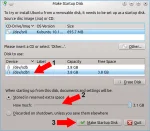
XUbuntu 8.10 USB Creator: The following tutorial covers the process of installing Xubuntu 8.10 to a USB flash drive, or other portable USB device using USB Creator. Installing Xubuntu 8.10 to a flash drive via this method allows the use of the persistence feature (via a persistence loop file) to save and restore your changes on subsequent boots.
Read the rest of this entry
Posted in Flashdrive installs via Live CD
Saturday, November 1st, 2008
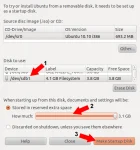
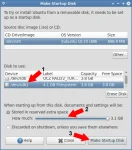
Ubuntu 8.10 USB Creator:The following tutorial covers the process of installing Ubuntu 8.10 to a USB flash drive, thumb drive or portable external hard drive using the built in USB Creator to create a "USB Startup Disk". Installing with this method allows the use of the persistence feature (via a persistence loop file, FINALLY) to save and restore your changes on subsequent boots.
Read the rest of this entry
Posted in Flashdrive installs via Live CD
Wednesday, October 15th, 2008
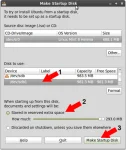
Ubuntu 8.10 Persistent flash drive install using the Live CD. This tutorial will enable a user to install Ubuntu 8.10 Intrepid Ibex to a USB flash drive while booted from the Live CD. In addition the persistence or casper persistent feature will be utilized to automatically save changes back to the thumb drive as you work, and then restore those saved changes upon subsequent boots.
Read the rest of this entry
Posted in Flashdrive installs via Live CD
Tuesday, May 27th, 2008
The following tutorial covers the process of installing gOS to a USB flash drive using the gOS Live CD. In addition, the persistence option is being utilized for saving and restoring changes persistently on the fly. gOS is based on Ubuntu and features the enlightenment desktop environment. Enlightenment features a dock and stack that looks and functions much like "fan view" used in Mac OSX 10.5. We prefer gOS Rocket with also includes many useful google apps. gOS was produced by the Good OS LLC corporation and is commonly found on Everex PC's.
Read the rest of this entry
Posted in Flashdrive installs via Live CD
Wednesday, May 21st, 2008
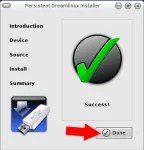
USB Xubuntu 8.04.1 Persistent installation using the Live CD. This tutorial covers the process of installing Xubuntu 8.04.1 Hardy Heron to a USB flash drive via a running Xubuntu 8 Live CD. Xubuntu uses the xfce desktop environment. The xfce desktop environment is a slim yet very powerful GUI. Making Xubuntu less of a resource hog than KDE or Gnome. Xubuntu works well on slower or older computers. In this Linux USB installation tutorial, the casper persistence feature is used to retain and retrieve changes on subsequent boots.
Read the rest of this entry
Posted in Flashdrive installs via Live CD
Thursday, May 15th, 2008
USB Kubuntu 8.04.1 Persistent Linux installation via the Live CD. Kubuntu is a derivative of Ubuntu based on the KDE desktop environment. In the following tutorial we cover the process of installing Kubuntu 8.04 Hardy Heron to a USB flash drive via a running Kubuntu 8 Live CD. Similar to the Ubuntu 8.04 persistent install, the casper persistence feature is being utilized to enable a user to save and restore changes on subsequent boots.
Read the rest of this entry
Posted in Flashdrive installs via Live CD
Wednesday, May 14th, 2008
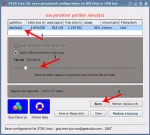
STUX is a Linux distribution based on a combination of Slackware Linux 11.0 for packages and Knoppix 5.0.1 for kernel, modules and scripts. Like many Linux distro's today, it includes automatic hardware detection, and supports a vast majority of graphics cards, sound cards, SCSI and USB devices and other peripherals. STUX also includes Apache and PHP for those who like to dabble with serving. As Mark, a Pendrivelinux subscriber pointed out, STUX includes a USB installer script which makes USB installation from the STUX Live CD a snap.
Read the rest of this entry
Posted in Flashdrive installs via Live CD
Thursday, May 8th, 2008
USB Ubuntu 8.04.1 Persistent install via the Live CD. This tutorial will enable a user to install Ubuntu 8.04 Hardy Heron to a USB flash drive via a running Ubuntu 8 Live CD. The process is similar to the Live CD install via Windows with the exception that you will be performing the process entirely from Ubuntu. This process uses a few less steps, thus could be performed in less time. In addition the persistence feature is being used to save and restore changes on subsequent boots.
Read the rest of this entry
Posted in Flashdrive installs via Live CD
Monday, April 14th, 2008
This tutorial covers the process of installing Ubuntu 8.04.1 (Hardy Heron) to an external USB Hard drive. It is possible to install Ubuntu 8.04.1 to a 4GB+ flash drive using this method as we did, however, due to the additional read/write cycles that occur on a full blown install, the life of your flash drive may be slightly reduced. This simple tutorial utilizes the Install script that is included with Ubuntu 8.04.1 making it easy to run and test the latest offering of Ubuntu without installing to a fixed internal system disk.
Read the rest of this entry
Posted in Flashdrive installs via Live CD, Install Linux to a USB hard drive
Friday, March 28th, 2008
This tutorial covers the process of installing SUSE Linux to a USB flash drive using the OpenSUSE Live CD. This tutorial works much like the install to an External USB Hard drive with the exception that the user is performing a full OpenSUSE install to a USB flash drive. The process does differ slightly! This tutorial was made possible due to a custom Portable SUSE script created and provided by James Rhodes. Please note that due to the limited number of write functions a flash drive can handle before going bad, you may reduce the life of your flash drive by performing this installation.
Read the rest of this entry
Posted in Flashdrive installs via Live CD
Monday, February 18th, 2008
This tutorial covers the process of installing Pendrivelinux 2008 (a remaster created from MCNLive) to a USB flash drive using an existing Linux host computer. Pendrivelinux 2008 allows it's user to save "ALL" changes back to the USB device via a persistent loop image. Changes are saved and restored via a loop file that resides on the USB device by booting "Boot with Persistent changes" boot option.
Read the rest of this entry
Posted in Flashdrive installs via Live CD
Tuesday, February 5th, 2008
The following tutorial covers the process of installing PCLinuxOS MiniMe 2008 to a USB flash pendrive via the intuitive Make LiveUSB installer that is included with the Live CD. Although the MakeLiveUSB script is not perfect, it does get most of the job done. However, there are some additional steps necessary to make your Portable PCLinuxOS MiniMe work properly.
Read the rest of this entry
Posted in Flashdrive installs via Live CD
Monday, December 3rd, 2007
The following tutorial covers the process of installing NimbleX to a portable USB flash drive, pendrive, USB stick or thumbdrive. Much like SLAX, NimbleX is a tiny Slackware based release (less than 200MB) that was designed to fit on a 8cm CD. The screenshots and tutorial was put together and submitted by Georgescu Ciprian.
Read the rest of this entry
Posted in Flashdrive installs via Live CD
Friday, September 28th, 2007
USB Ubuntu 7.10 install from Linux: This tutorial enables you to install, boot and run Ubuntu 7.10 (Gutsy Gibbon) from a USB flash drive. In addition to installing Ubuntu to a USB device and then booting Ubuntu from the memory stick, this tutorial will enable you to automatically save your changes and settings back to the thumb drive and further restore them on each boot using a second "casper-rw" persistent partition. The tutorial was written for those already familiar with working from Ubuntu or another Linux desktop environment. If you do not have access to or prefer not to use a Windows computer, this Ubuntu Linux on a stick tutorial is for you.
Read the rest of this entry
Posted in Flashdrive installs via Live CD, Install Linux to a USB hard drive
Friday, September 21st, 2007
USB Ubuntu 7.04 install from Linux This tutorial enables you to install, boot and run Ubuntu Linux 7.04 from USB "and save your changes back to the stick". When booting Ubuntu in persistent mode, it uses a "casper-rw" partition to save your changes back to the drive, restoring them on each boot. The tutorial was written for those already somewhat familiar with working from Ubuntu or another Linux desktop environment. If you do not have access to or prefer not to use a Windows computer, this Ubuntu Linux on a stick tutorial is for you.
Read the rest of this entry
Posted in Flashdrive installs via Live CD
Wednesday, May 16th, 2007
The Pendrivelinux team has put together a USB Pen Drive Linux package based purely on Debian Linux. The USB Linux package is currently available in .img format. Installation is simple and just requires copying the .img to a USB device and then creating a live-rw partition if you wish to store your changes. We think you will find this personalized USB Linux version easy to install, navigate and use.
Credits extend to the Debian-Live team for creating Live-Helper script used in this project. (Aicrom) Márcio Santos for the custom Penguin artwork, Theme-Graphics thanks to Carlos
Read the rest of this entry
Posted in Flashdrive installs via Live CD
Monday, February 26th, 2007
This tutorial covers the process of installing PCLinuxOS MiniMe to a USB flash thumb drive from within a Linux operating environment. PCLinuxOS ranks as our second favorite Distro, trailing just behind Ubuntu. For this tutorial, we are booting from the PCLinuxOS MiniMe CD and using this as the installation platform, however, the installation procedure will work from other environments as well.
Read the rest of this entry
Posted in Flashdrive installs via Live CD
Tuesday, February 20th, 2007
The following tutorial will show you how to install Knoppix 5.1.1 to a USB flash pen drive. It is also possible to use the persistent feature after completing this tutorial allowing you to save changes back to the stick. Knoppix is a fully featured Linux distribution based on Debian. It was created by Klaus Knopper. Knoppix has always been feature packed, including hundreds of useful tools and applications not included by default with most other Live Linux distributions.
Read the rest of this entry
Posted in Flashdrive installs via Live CD
Monday, February 12th, 2007
USB Ubuntu install from Linux This tutorial enables you to install, boot and run Ubuntu Linux from USB. When booting Ubuntu in persistent mode, it uses a "casper-rw" partition to save your changes back to the drive, restoring them on each boot. The tutorial is similar to the USB Ubuntu installation tutorial for Windows users with the exception that it was written with a Linux user in mind. If your already working from a Ubuntu Linux desktop environment and do not have access to or prefer not to use a Windows computer, this tutorial is for you.
Ubuntu® is registered trademark of Canonical ltd.
Note: This tutorial is based on Ubuntu 6.10. In Ubuntu 7.04, the persistent feature is currently broken. If your planning to save your changes use 6.10 as suggested here.
Update: Use this NEW Linux tutorial for USB Ubuntu 7.04
Read the rest of this entry
Posted in Flashdrive installs via Live CD
Saturday, March 25th, 2006
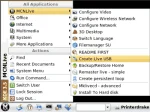
MCNLive is a live CD based purely on Mandriva Linux and was designed for use with most common desktop and notebook computers. Like Mandriva, MCNLive comes with almost every essential tool including networking utilities, internet tools, multimedia software, graphical tools and office applications. Just about everything the average Linux computer user might need can be found in MCNLive. Another great feature is the included easy to use graphical installer that allows a user to install MCNLive to a USB device. There is even an installer to install to an internal hard disk.
Read the rest of this entry
Posted in Flashdrive installs via Live CD, OLD Windows based tutorials
Saturday, March 25th, 2006
In this simple USB Puppy Linux tutorial we illustrate how to easily install Puppy linux on a USB flash pen drive using the Universal installer included on the Puppy Linux CD. Puppy is a unique Linux compilation that is super small, yet contains many useful tools and utilities. Most versions of Puppy Linux will fit on even a 128MB USB stick. Making it great to install to those older tiny thumb drives you might have sitting around.
Read the rest of this entry
Posted in Flashdrive installs via Live CD, OLD Windows based tutorials