USB flash pen drive tools Category

Permanently remove information from your USB Drive

Thursday, November 22nd, 2007

The following tutorial explains how to permanently remove deleted information from your USB flash drive or any other partition making the deleted information (for the most part) non-recoverable. We are able to accomplish this task by zeroing out the empty space on the drive using dd. There are many great uses for dd, from forensic data recovery and data backup to zeroing out empty drive space.

Read the rest of this entry

Use a Floppy to Boot USB Pendrive Linux

Wednesday, November 21st, 2007

If you have a system that does not support booting from a USB device, but do have a floppy drive, you can try to boot Pendrive Linux from a USB flash drive using a Grub Boot floppy disk. When using a Boot floppy with a Grub boot loader, Grub locates the USB partition and then attempts to boot loading vmlinuz and initrd.gz from the USB device.

Read the rest of this entry

Testing your system for USB boot compatibility

Monday, September 17th, 2007

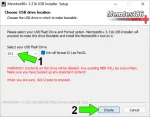
The following tutorial will enable a user to check if a computer system can boot from a USB device and ultimately help determine if the computer can boot a Linux version from USB. In most cases if the test is successful, you should have no problem running Linux portably. In addition to testing your PC for USB Linux boot capability, the "Memtest86" system memory diagnostics program that is included, allows the user to scan their system memory for errors by simply booting memtest from a USB device or flash drive.

Read the rest of this entry

Recommended USB Linux flash drives

Wednesday, April 25th, 2007

Recommended USB flash drives for portable Linux installation: Recently, we have been testing many different USB flash devices, commonly referred to as flash drives, pen drives, thumb drives and memory sticks for Linux and BIOS booting compatibility. We have come to the conclusion that there are some drives that work great with the USB Linux tutorials and others that don't work so well for this purpose. This page lists the flash drives we have had success with.

Read the rest of this entry

Install a new mbr to your USB flash device

Wednesday, March 7th, 2007

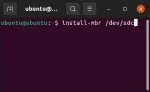
Some USB flash drives are notorious for having problems with corrupted master boot records. If your system refuses to boot from the flash memory stick, the mbr may be at fault. To fix this, you can use the mbr package to install a new master boot record. Credit goes to BHSPitMonkey for pointing out this fix. The troubled drive encountered was a Kingston Data Traveler 2GB unit.

Read the rest of this entry

Booting Linux using USB-ZIP on older systems

Tuesday, February 20th, 2007

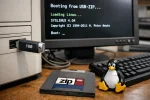
If you have an older computer system, your BIOS might not support USB-HDD boot. In this case, it may still be possible to boot Linux from USB if your BIOS does list USB-ZIP as a boot option. In order for this to happen, we need to trick the BIOS into thinking that the USB flash drive is a zip drive.

We can trick the BIOS by modifying the number of heads and sectors being displayed from the USB flash device to match that of a zip drive. Then we partition the drive using partition 4 (the partition that zip drives typically use). For this tutorial we will use the mkdiskimage application that comes with syslinux.

Read the rest of this entry

Large external USB Hard Drive Fat32 Format utility

Wednesday, September 20th, 2006

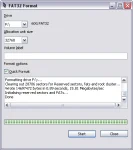
When working from a Windows environment (particularly Windows XP), you may experience difficulty using the default Windows format tool to format your large external USB hard drive as Fat32.

Read the rest of this entry

Run Syslinux from windows 98/ME

Tuesday, August 29th, 2006

Syslinux can be run under many different Windows operating environments including DOS. The following document lists a couple examples of how to use syslinux depending on your operating environment. Note that these paths may change with newer releases of syslinux and this information is being provided for reference only.

Read the rest of this entry

U3 Uninstaller for USB Flash Drive

Sunday, June 25th, 2006

How to easily Remove the U3 smart software from your USB Flash Pen Drive. "The U3 uninstaller application is available directly from U3".

Most avid users of USB storage media have recently begun to realize that a vast majority of USB flash pen drives manufactured today are packaged with the U3 software. While this software has some neat features and package includes, a seasoned computer user may not need or desire to use the U3 smart software.

Read the rest of this entry