Flash drive installs using Windows Category
USB xPUD Persistent Install (Windows)
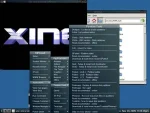
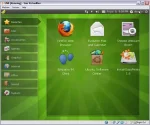
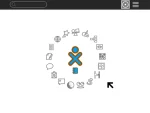
USB xPUD Install from Windows: xPUD is an intuitive minimal Linux Operating system. It was created by Penk and functions like a Kiosk. xPUD ships with the Firefox Browser, Gnome Media Player, Transmission Bit torrent Client, Geany Text Editor, Gpicview Picture Viewer, EPDFView and Xterm Terminal Emulator. More apps can be installed for other tasks. xPUD is optimized for Netbooks and can be run from a Desktop or Laptop just as well (drivers are available). The entire xPUD Operating environment can boot in just a few seconds from a USB device.
USB Moblin Install from Windows
USB Moblin Flash Drive Install using Windows: Moblin is a Linux Platform designed for Netbooks, Mobile Internet Devices, and In Vehicle Infotainment Systems. Mobilin now supported by the Linux Foundation, has been tested on Netbooks and devices such as the Acer Aspire One, ASUS EeePC 901 /1000 /1000H, Dell Inspiron 910, MSI Wind, Lenovo S10, Samsung NC10, HP mini 1010 and 1120NR (with wired networking only). Considering that many Netbooks do not use CD Drives, and ship with Windows, having the ability to install and run Moblin from USB is essential.
Read the rest of this entry…
USB Linux Mint 7 Flash Drive creation (Windows)
USB Linux Mint 7 persistent flash drive creation. In the following tutorial, we show you how to use Windows to create a Portable Linux Mint 7 USB flash drive. Linux Mint 7 Gloria is based on Ubuntu 9.04 Jaunty Jackalope and is compatible with it's current repositories. Originally launched as a variant of Ubuntu with integrated media codecs, Linux Mint has developed into an elegant Linux distribution. Currently maintained by Clement Lefebvre, more information about Linux Mint can be found at the Official Linux Mint site.
Note: The persistent feature works just as it does in Ubuntu 9.04, allowing you to save and restore most of your changes.
USB Kubuntu 9.04 Persistent Install (Windows)
USB Kubuntu 9.04 Persistent Install In the following tutorial, I will show you how to quickly install Kubuntu 9.04 to a USB flash drive using our custom batch installer within Windows. A product of canonical ltd, Kubuntu 9.04 features the popular, elegant and awe inspiring KDE desktop environment. This tutorial makes use of the casper persistent loop file (casper-rw) for saving and restoring most preferences, changes and downloads.
USB Xubuntu 9.04 Persistent Install (Windows)
USB Xubuntu 9.04 Persistent Installation. In the following tutorial, we will cover the process of installing Xubuntu 9.04 to a USB flash drive using Windows. Xubuntu is product of Canonical ltd that is based on Ubuntu but utilizes the XFCE desktop environment. Xubuntu is designed to use less resources than it's counterparts, making it a great Linux OS to run portably from a USB flash drive or USB Hard Drive.
USB Ubuntu 9.04 Persistent install (Windows)
USB Persistent Ubuntu 9.04 installation In the following tutorial, we show you how to install, boot and run Ubuntu 9.04 (Jaunty Jackalope) from a USB flash drive from a Windows PC. Ubuntu 9.04 can then be run natively from your portable USB device. Note that this process does utilize a casper-rw loop file for persistently saving and restoring changes on subsequent boots.
USB Ubuntu NetBook Remix Install via Windows
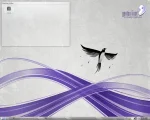
Install Ubuntu 9.04 NetBook Remix to a Flash Drive using Windows. Ubuntu offers their own Ubuntu Image Writer. This tool enables a user to create a Ubuntu NetBook Remix USB Flash Drive from a disk image. The Portable Ubuntu NetBook operating system can then be run portably from the Flash Drive without installing or installed to your Netbook from the Flash Drive. USB Ubuntu NetBook Remix Flash Drive installation is simple. However, we have created a short tutorial below to offer a heads up on the install.
PUD Linux Flash Drive Install (Windows)
PUD Linux USB Flash Drive Installation. In the following tutorial, we cover the process of installing PUD Linux to a USB Flash Drive using Windows. PUD Linux is a tiny 259MB Ubuntu based remix. It utilizes an (LXDE) Lightweight X11 Desktop Environment and a unique Modular Opt-Get Plugin System to add additional software applications.
CrunchBang Linux Flash Drive Install (Windows)
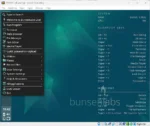
USB CrunchBang Linux Flash Drive Install. The following tutorial covers the process of installing CrunchBang Linux to a USB Flash Drive. CrunchBang Linux is remix based on Ubuntu, but features a lightweight Openbox window manager with GTK+ applications. CrunchBang was designed with speed and functionality in mind.
USB Linux Mint 6 Flash Drive creation (Windows)
USB Linux Mint 6 persistent flash drive creation. The following tutorial covers how to install, boot and run Linux Mint from a USB device using Windows to create the portable Mint flash drive. Linux Mint 6 Felicia is a remix of Ubuntu Linux 8.10. Originally launched as a variant of Ubuntu with integrated media codecs, Linux Mint has developed into an elegant Linux distribution. Currently maintained by Clement Lefebvre, more information about Linux Mint can be found at the Official Linux Mint site.
SLAX 6.0.9 Flash Drive Install using Windows
In the following tutorial, we cover the process of installing SLAX 6.0.9 to a USB Flash Drive or other portable device. SLAX is a tiny Linux distribution (190MB) created by Tomas Matejicek. SLAX is essentially a stripped down version of Slackware Linux. Currently available as an ISO for Live CD creation or as a tar file for extraction to a USB stick, SLAX Linux also utilizes the ability to save your changes persistently and add or remove modules on the fly.
USB Xubuntu 8.10 Persistent Install (Windows)
USB Xubuntu 8.10 Persistent Flash Drive Install. The following tutorial covers the process of installing Xubuntu 8.10 to a USB flash drive using Windows. Xubuntu a product of Canonical ltd is based on Ubuntu but utilizes the XFCE desktop environment. It was designed to use less resources than Ubuntu or Kubuntu, which makes Xubuntu a great candidate to run from a USB flash drive or Live USB.
USB Kubuntu 8.10 Persistent Install using Windows
USB Kubuntu 8.10 The following tutorial covers the process of installing Kubuntu 8.10 to a USB flash drive. Kubuntu 8.10 is a product of canonical ltd and is based on Ubuntu but sports a KDE 4 desktop instead of Gnome. Some people prefer the KDE desktop due to it's unique graphical look and feel. Upon completion of this tutorial, you should have a bootable Live USB Kubuntu 8.10 that utilizes a persistent loop file (casper-rw) for saving and restoring changes.
Live Ubuntu 8.10 USB Persistent install (Windows)
Live Persistent Ubuntu 8.10 USB installation The following tutorial covers how to install, boot and run Ubuntu 8.10 (Intrepid Ibex) from a USB flash drive using a Windows computer to perform the install. Ubuntu 8.10 will be run natively from the portable device utilizing a persistent casper-rw loop file for saving and restoring changes. Ubuntu is a product of Canonical Ltd.
Using UNetbootin to create a Live USB Linux
UNetbootin is a Live USB creation tool that can be used to create a Live Linux USB flash drive from an ISO. Many Linux distributions are supported out of the box with custom install options available for Linux distributions that are not. It is important to mention that Live Linux USB flash drives created with this tool, do not currently utilize a persistence feature. The resulting USB Linux install will function just as it does from a CD. By default you will not be able to save and restore your changes.
USB Ubuntu 8.10 install from Windows (non Persistent)
Ubuntu 8.10 USB Live installation from Windows: This simple tutorial covers how to install, boot and then run Ubuntu 8.10 (Intrepid Ibex) from a USB flash drive. Upon completion of this simple tutorial, Ubuntu 8.10 can be run from the portable flash device in the same fashion (but much faster) than it would from the Live CD. This specific tutorial does not cover a Ubuntu 8.10 persistence (persistent) feature option. Hence the user cannot save changes back to the USB device using this tutorial.
USB Ophcrack – Windows Login password cracker
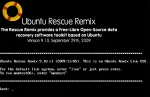
USB Ophcrack: Ophcrack is a free Windows password cracker or Windows Login Password Recovery tool that uses rainbow tables to retrieve Windows login passwords from password hashes. The tool is available in two versions (Vista Ophcrack and XP Ophcrack). In the following tutorial, we explain how to create an All In One USB Ophcrack flash drive from both versions. This bootable flash drive utility can then be used to recover, reveal or crack both Windows XP and Windows Vista login passwords.
All In One Pendrivelinux 2008
This ALL In One version of Pendrivelinux 2008 can be run from a USB thumbdrive either natively (as a stand alone Operating System at boot), or within Windows using qemu emulation. Moreover, the user can save installed software, changes, bookmarks, email, contacts and more automatically via a persistent loop image and then restore those changes upon subsequent qemu or native boots. This is a major breakthrough as the user can now run Pendrivelinux 2008 from a USB device even if the computer cannot natively boot from USB and still save changes persistently to be restored regardless of whether booting natively or from qemu.
USB Knoppix 5.3.1 install using Windows
USB Knoppix 5.3.1 This tutorial will show you how to install Knoppix Linux version 5.3.1 to a USB flash drive using Windows. Knoppix is based on Debian GNU/Linux and includes hundreds of useful applications. Here we will show you how to make your own Portable Knoppix 5.3.1 from the Live DVD. You can then boot your portable version of Knoppix Linux from any PC that fully supports USB boot. Note that you will need a large capacity USB flash drive for this tutorial. We personally used a 16GB OCZ ATV flash drive, however an 8GB flash drive should do fine.
USB CentOS 5 Live install via Windows
The following tutorial covers the process of installing CentOS 5 to a USB flash drive using a Windows host. Once CentOS is installed, it will operate just like the CentOS live cd. A persistence feature is not being utilized in this tutorial so you will NOT be able to save and restore your changes on subsequent boots. A little background info on CentOS; CentOS is an Enterprise class Linux Distribution derived from sources freely provided to the public. This version of Linux is commonly used by many popular web hosting companies as a Linux server platform due to it's extreme stability. We can use the Fedora LiveUSB Creator to install CentOS to a flash drive.
Install Fedora to a flash drive using Windows
The following tutorial will show you how to install Fedora 8 or 9 to a USB flash drive using Windows. Fedora is a Linux distribution that is sponsored by Red Hat and is both driven and maintained by the community. It is comprised of only free and open source software and will always remain free to use, modify and redistribute. Recently, Luke Macken and Kushal Das, both active in the Fedora community have put together an intuitive and super easy to use liveusb-creator which can be used to make a Fedora Live USB flash drive. In addition, USB Fedora utilizes a Persistent feature, enabling a user to save and restore changes on subsequent boots. In the following, we will show you how it works.
USB gOS install from Windows
The following tutorial covers how to quickly and easily install gOS to a USB flash drive using Windows. gOS is a Debian derivative based on Ubuntu with a unique Enlightenment desktop window manager (similar to what is used on Mac OS X 10.5 systems), making gOS a very attractive Linux package. Everex Computers offered at Walmart often ship with this intuitive Operating System pre-installed. Although the GUI takes a little getting used to, we really enjoyed installing and using the latest release of gOS and think you will enjoy running it portably from a USB device as well. It's clean, simple, graphically appealing, elegant and fun to play with.

USB BackTrack Linux installation
BackTrack is a Live Linux distribution based on SLAX that is focused purely on penetration testing. Distributed by remote-exploit.org, BackTrack is the successor to Auditor. It comes prepackaged with security tools including network analyzers, password crackers, wireless tools and fuzzers. Although originally designed to Boot from a CD or DVD, BackTrack contains USB installation scripts that make portable installation to a USB device a snap. In the following tutorial, we cover the process of installing BackTrack to a USB flash drive from within a working Windows environment.
Pendrivelinux 2008 install from Windows
Pendrivelinux 2008 is a remaster created from MCNLive and based purely on Mandriva Linux. Like Mandriva Flash and MCNLive, Pendrivelinux 2008 allows the user to save most installed software, changes, bookmarks, email, contacts and more by utilizing a persistent loop image. This means that you no longer needs to create a partition on the USB device for saving changes. Changes are saved and restored via a loop file that resides on the USB device by booting "Boot with Persistent changes" boot option.
USB MiniMe 2008 install from Windows
The following tutorial will show you how to easily install PCLinuxOS MiniMe 2008 to a USB flash drive using Windows. This enables a user to quickly create a portable version of PCLinuxOS MiniMe 2008 without having to go through the redundant steps of burning the iso to a CD and then booting from the CD to perform the USB flash drive install from another iso. We really like the latest release of MiniMe from PCLinuxOS and think you will enjoy it as well.
PCLinuxOS MiniMe 2008 is simple, small, clean and works very well on a USB flash pendrive.
USB MCNLive Toronto install
The following tutorial will show you how to easily install MCNLive Toronto to a USB flash pen drive in just a few steps from within Windows. By using this tutorial, you don't need to burn the ISO to a CD and then run the installer from Linux. Instead, the user simply runs the batch installer, moves the content from the created folder to the USB flash drive and then launches the makeboot batch file to make the USB device bootable. In addition, the second part of this tutorial explains how to make MCNLive "save all" of your changes to a persistent mcnlive.loop file.
USB PCLinuxOS 2007 Live install tutorial
The following tutorial covers the process of installing PCLinuxOS 2007 to a USB flash drive via Windows. PCLinuxOS 2007 is based on Mandriva kernel 2.6.18.8 and utilizes an easy to navigate KDE desktop environment. With over 2GB of compressed data, Open Office, Firefox, Thunderbird, Frostwire, Ktorrent, Amarok, Flash, Java JRE and Beryl 3D are just a few of the many included applications you will find on the Live CD making PCLinuxOS 2007 a great candidate to install to a USB flash drive.
USB Simply MEPIS install
The following USB Simply MEPIS installation tutorial was created per the request of Jason Frothingham. He couldn't fathom why we didn't list a USB install tutorial for the ever so popular MEPIS Linux. Well Jason, here it is. In the following tutorial we cover how to install, boot and run MEPIS from a USB device using your Windows PC.
MEPIS is a popular Linux version founded by Warren Woodford in November 2002. It was created because Warren didn't like how other desktops worked, so he decided to create his own. The first version was released to the public in May 2003. MEPIS originally used Debian packages and now includes and is based on Ubuntu packages.
USB Gentoo 2007.0 install
In the following USB Gentoo tutorial we cover how to install, boot and run Gentoo 2007.0 from a USB device using Windows. Gentoo is a popular Linux version named after the Gentoo Penguin. Gentoo was originally created by Daniel Robbins with a goal to create a smaller portable Linux distribution that only included required programs. This Gentoo USB installation tutorial was developed per the request and with a little help from Brendan Jocson, a Pendrivelinux.com subscriber. Kudo's goes to Brendan for helping establish this Portable Gentoo tutorial.
Creating a bootable USB Ophcrack
Ophcrack is an open source Windows password cracking utility that uses rainbow tables to find passwords. It can be run from Windows, Linux or Live CD. The following tutorial explains how to install and boot Ophcrack from a portable USB device. Since the Live CD version (running from a SLAX core) is already available, creating USB Ophcrack is similar to converting any other Live Linux CD to USB.
USB Damn Small Linux install
USB Damn Small Linux (DSL) This is a revisit of the Windows DSL USB installation tutorial: "Putting damn small linux on a USB pendrive". Damn Small Linux was created by John Andrews, and is basically a trimmed down version of an early Knoppix build, making it perfect for smaller drives. Based on the 2.4 kernel, DSL is great to use for older and slower computers as well. It will fit and run on portable devices or drives as small as 64MB.
USB Knoppix 5.1.1 install
USB Knoppix 5.1 This tutorial covers how to install and run Knoppix Linux from a USB Flash Pen Drive through Windows. Knoppix is based on Debian GNU/Linux and includes many useful applications such as Abiword, OpenOffice, Gimp, Konqueror, Mozilla, Apache, PHP, MySQL along with hundreds of other Open Source applications. This guide will show you how to make your own Portable Knoppix that you can then boot from any PC that supports USB boot.
USB PCLinuxOS MiniMe install
PCLinuxOS is a clean, compact and beautiful Live Linux CD compilation created by Texstar of pclinuxos.com. PCLOS is based on Mandriva Linux and will comfortably fit on a 512MB USB stick. PCLinuxOS is one of our favorite Live Linux distributions. In the following tutorial, we show you how to convert it to run from USB to make for a Portable PCLinuxOS that you can bring with you on a flash drive.
Install and Boot Ultimate Boot CD (UBCD) from a USB Thumbdrive
In this simplified USB Ultimate Boot CD walkthrough tutorial, we will demonstrate How To create a USB bootable Ultimate Boot CD (UBCD) using a Windows host PC to create the USB UBCD. Ultimate Boot CD is an awesome PC diagnostics tool that condenses over 100 useful PC diagnostics and hardware troubleshooting tools into a single easy to use interface.
Feather Linux on a USB flash drive
The following walkthrough will illustrate how to install Feather Linux to a USB flash pen drive through Windows and make Feather boot from the USB device. Feather is yet another very small (under 128MB) clean and simple Knoppix Linux remix (based on Debian) that is straight forward and easy to use. The following tutorial covers the process of installing Feather to a USB device using Windows to produce the USB version.
Runt Linux On USB flash drive
This walk through illustrates how to do a simple install of RUNT linux on a USB Thumb drive and then boot and run it from USB. RUNT Linux is a super super tiny and very basic Linux version and is only recommended for intermediate to advanced Linux users who prefer to do work without using a graphical interface like X. You can learn more about RUNT from the official RUNT Linux website.
Beware that RUNT by default does not use GUI. It's a text only based distro.


Subscribe by Feed Reader
Subscribe by email