
How to Install deb Packages on Ubuntu or Debian Linux. Using Ubuntu or Debian and need to install a .deb file manually? While many applications can be installed directly from the repositories using tools like apt, aptitude, or Synaptic, you may occasionally download standalone .deb packages from developer websites or third party sources.
In this guide, you'll learn how to manually install Debian packages (.deb files), handle dependencies, uninstall installed packages, and search for them using the terminal. This process works for both Debian and Ubuntu-based Linux systems.
How to Manually Install deb Files Using dpkg
Note: This installs only the downloaded .deb file. If the package depends on other programs or libraries, you'll need to install those separately (covered below).
- Press Ctrl+Alt+T to open a terminal window.
- Download your chosen .deb package using
wgetor another method. - Run the following command, replacing
packagenamewith the actual file name:sudo dpkg -i packagename.deb
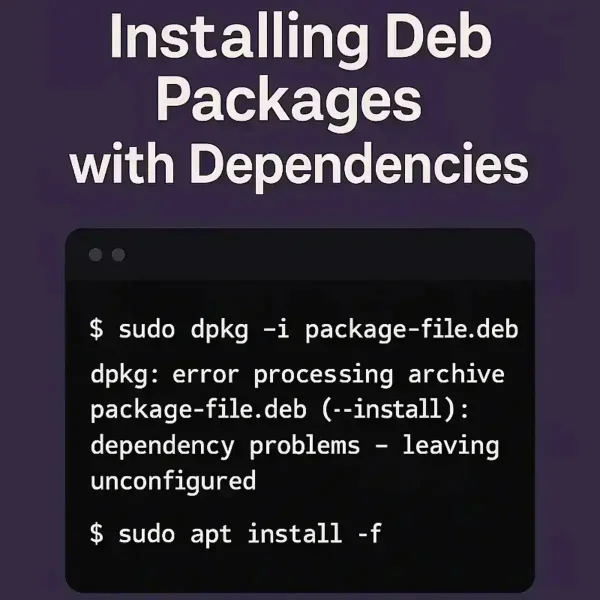
Install deb Packages with Dependencies
If you receive an error similar to:
packagename depends on otherprogram (>= 1:0.0.0); however: Package otherprogram is not installed
This means that the .deb package relies on additional software (dependencies). You can install the required dependencies with the following command:
sudo apt-get install otherprogramOr, try using the -f flag to automatically fix and install missing dependencies:
sudo apt install -fUninstall or Remove deb Packages Using dpkg
To uninstall a package that was installed using dpkg, run the following command:
sudo dpkg -r packagenameList or Search Installed deb Packages
To check if a .deb package is installed, or to search for packages that match a specific string:
dpkg -l | grep nameFinal Thoughts on Installing Debian Packages
By following this guide, you can manually install, troubleshoot, and manage .deb packages on your Debian-based Linux system. Whether you're using Ubuntu or Debian, this knowledge is essential when dealing with third-party software outside official repositories.
Looking for more Linux tips? Check out our tutorials on booting Ubuntu from USB with persistence or running Ubuntu entirely from RAM.