multiboot

YUMI Multiboot USB Creator
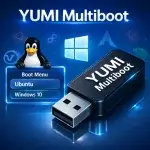
YUMI Multiboot Bootable USB Drive

YUMI (Your Universal Multiboot Installer) is a free, open source tool for building a multiboot USB drive: one flash drive that can hold and boot multiple operating systems, Windows installers, Linux distributions, antivirus rescue disks, and recovery utilities, all selectable from a single boot menu.

Which version should you use? YUMI Py is the current recommended build - it runs on both Windows and Linux from the same Python codebase and is where active development is focused. YUMI exFAT remains a fully supported, Windows native alternative if you'd rather run a standalone .exe with no Python involved. Older Legacy and UEFI-only builds are archived and kept online for compatibility with older systems only.

Ventoy Multiboot Bootable USB Maker Tool

Ventoy Boot Menu

Ventoy is a free, open source tool that lets you turn a USB drive into a multiboot device. You don't need to extract or prepare each ISO file-just copy them to your USB stick, and you're good to go. When you power up your computer, Ventoy shows you a menu where you pick which OS or tool to boot.

Here's how it works: Ventoy installs its bootloader onto your USB drive. After that, you just drag and drop your ISO, IMG, WIM, VHD, or EFI files onto the drive. Plug it into a computer, boot from USB, and choose what you want to run. It's fast, easy, and you don't have to reformat your drive every time you want to switch things up.