No exact matches found in titles, headings, slugs, or excerpts. Showing posts containing your search terms in the content.
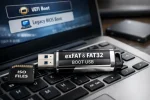
Can you boot from an exFAT USB? Yes, but not directly from a single exFAT partition. To create an exFAT bootable USB flash drive that works in UEFI mode, you must use two partitions: one exFAT partition for storing ISO files and one small FAT32 partition dedicated to booting. A bootloader such as Grub2 is installed to the FAT32 partition, enabling boot support for both UEFI and Legacy BIOS systems.
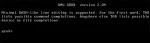
Install Grub2 on USB from Windows: Need a reliable way to create a USB stick that boots from both BIOS and UEFI? In this guide we will show you how to install the Grub2 bootloader onto a USB flash drive directly from Windows. Using the grub-install.exe utility, you'll prepare a highly compatible bootable USB device.
Creating a USB Bootable RUNT Linux; This walk through illustrates how to install, boot, and run RUNT Linux from a USB flash drive. RUNT is a super super tiny and very basic Linux distro. It is recommended for intermediate to advanced users who prefer to do work without using a graphical interface like X. Beware that by default it does not feature a GUI, it uses a text only based interface.
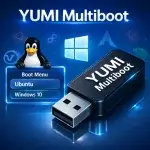
YUMI (Your USB Multiboot Installer) is a powerful multiboot USB boot tool that lets you build bootable flash drives for multiple operating systems. It also works as a USB Windows media creation tool or utility, enabling you to quickly create a custom USB drive packed with multiple ISO files and essential system diagnostic utilities. This makes it easy for anyone to boot from a USB drive to install operating systems, run Linux Live portably or troubleshoot and fix a PC.
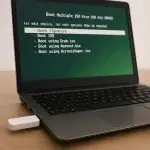
Boot Multiple ISO from bootable USB using GRUB2 from Linux. Here is one way to manually create a Multiboot USB Flash Drive (Multiboot ISOs) from a running Linux environment. Allowing you to store and run Multiple ISO files from one single USB drive.
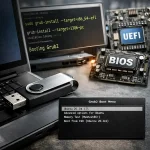
How to Install Grub2 on USB from Linux to make a BIOS an UEFI bootable USB that can boot on all Machines. In the following tutorial, I'll show you one way of easily installing Grub2 Bootloader to a USB flash drive from an up and running Linux Operating Environment.
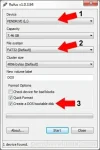
Rufus - easily boot DOS from USB: Creating a bootable USB flash drive to boot DOS from USB can be complicated. However, a tool called Rufus (Reliable USB Format Utility), created by Pete Batard, can make this task relatively simple. This utility can also be used to create a Bootable USB of a given distro from an ISO or image file.
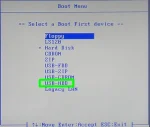
The following list of USB BIOS boot settings and options has been thoroughly tested with various Linux USB installs. While there may be additional options, this guide serves as a simple checklist to help familiarize you with boot options and their usage. Be sure to check back often, as I do continuously update this list with new information.
