
Best Way to Create a Knoppix Bootable USB Flash Drive using a CD: Knoppix Linux, developed by Klaus Knopper, is a powerful Live Operating System famous for its hardware detection, making it perfect for system recovery, troubleshooting, or simply trying Linux without installing it on a hard drive. There is also ADRIANE, an accessible version with the Orca screen reader for visually impaired users.
Running Knoppix from a Bootable USB
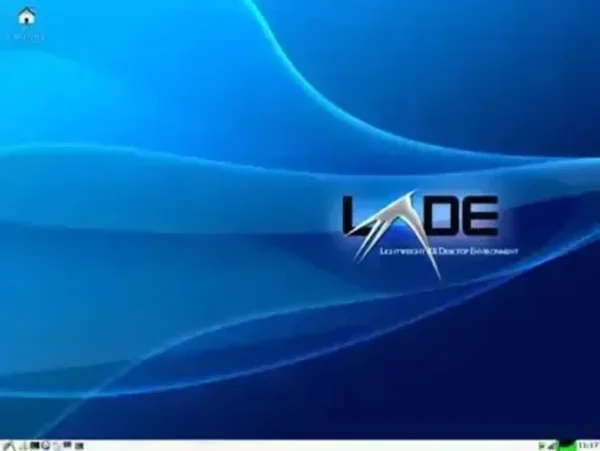
- Distribution Home Page: knopper.net
- Persistent Feature: Yes (store data persistently on the USB)
Using a USB to boot Knoppix allows portability and the ability to carry files across systems. Persistent storage ensures system changes and files remain available across reboots.
Create a Knoppix Bootable USB Using the Built In Flash Installer
- Download the Knoppix ISO from an official mirror. Burn the ISO to a CD or DVD using tools like InfraRecorder or ImgBurn.
- Restart your computer and enter your BIOS or Boot Menu. Set your boot device to the Live CD/DVD and reboot.
- Once Knoppix boots, the ADRIANE menu will appear. Navigate with the arrow keys to Setup and press Enter.
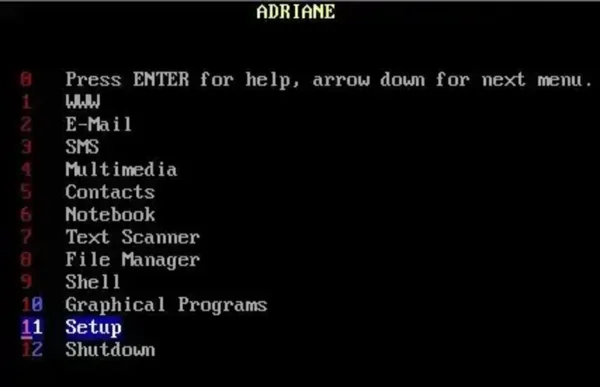
- Arrow down to Store on Flashdisk and press Enter.
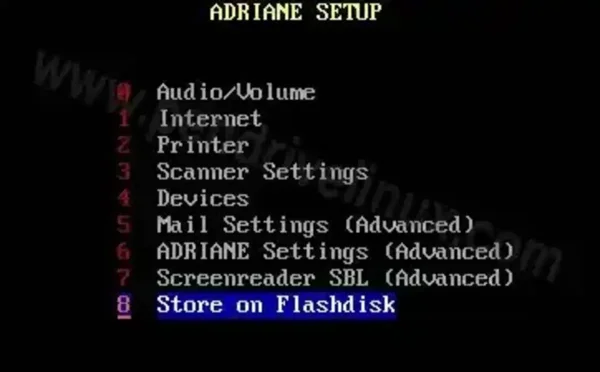
- Follow the on-screen instructions. The Flashdisk Installer will format your USB and copy the necessary files.
- After installation, remove the CD/DVD. Reboot, enter BIOS/Boot Menu again, and select your USB flash drive as the boot device. You can now run Knoppix directly from USB.
Persistent Storage Notes
Knoppix can store changes on the same USB drive if formatted using the FlashDisk Installer.
Additional Boot Options
You can enter these at boot to troubleshoot or change system behavior:
- adriane – Start ADRIANE with speech assistant (default).
- knoppix – Boot directly into the graphical X environment.
For troubleshooting, append these options:
- acpi=off – Disables ACPI for power management issues.
- noapic – Disables Advanced Programmable Interrupt Controller.
- nolapic – Disables Local APIC.
- pci=bios – Forces PCI enumeration via BIOS.
People Also Ask
- How do I make Knoppix persistent on a USB?
- Can I boot Knoppix from USB without a CD?
- Is Knoppix ADRIANE safe for visually impaired users?
- Which USB tools are compatible with Knoppix ISOs?
Following this guide allows you to create a portable, persistent Knoppix USB drive. Ideal for system recovery, testing, or a mobile Linux environment, it provides full functionality without touching your hard drive.