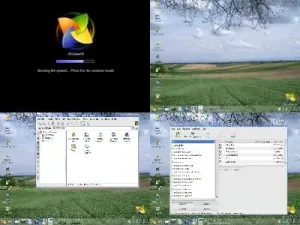
How to Effortlessly Make a USB Bootable KALI Linux flash drive with persistence using YUMI from within Windows. KALI is based on Debian Linux. It was designed to be a distribution that is focused purely on penetration testing. As a result, it comes packed with tons of useful security tools including network analyzers, password crackers, wireless tools and fuzzers.
This penetration testing tool is the successor to Backtrack Linux, which was discontinued in March of 2013. Backtrack differed in that it was based on Knoppix, but otherwise included much of the same core features and penetration testing software.
USB Bootable KALI Linux with Persistence
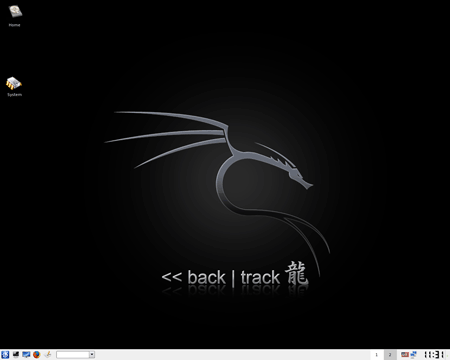
Distribution Website: Project Home Page
Persistent Feature: Yes
Essentials to USB Boot KALI Linux with persistence
- YUMI exFAT (does the Live Linux USB conversion)
- ISO file to use for conversion
- Super Fast Flash Drive
- Windows 11, 10 ,8
- Computer that supports booting from USB via UEFI or BIOS
The following tutorial covers how to Install, Boot, and Run this Live Linux penetration testing tool from a USB drive using the exFAT version of YUMI.
How to create a USB Bootable KALI Linux
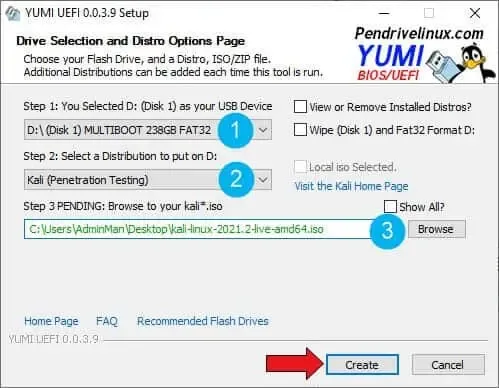
- Download and launch YUMI exFAT Bootable USB Creator
- (1) Select your flash drive from the list of devices.
(2) Then choose Kali (Penetration Testing) from the list of distros.
(3) Browse to your ISO file, and then click Create.
- Once the YUMI exFAT USB Installer has finished, reboot your PC and set your BIOS or Boot menu to boot from your flash drive.
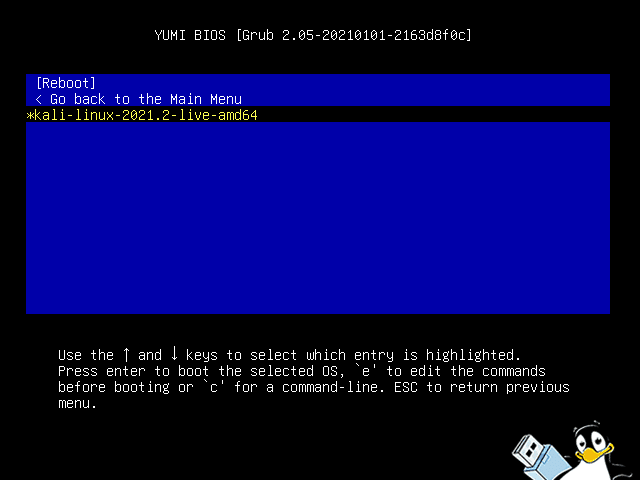
If all went well, you should be presented with a YUMI Boot Menu option similar to that which is shown above. Allowing you to select and run the USB Bootable KALI Linux from your MultiBoot flash drive.
Notes: YUMI is Multi bootable USB Software. It can also be used to store and boot multiple Linux Operating Systems, Windows Installers, Antivirus Scanners and other essential System Tools from one single flash drive.
KALI Linux USB with Persistence
Persistence is made possible through the Debian method of creating an ext3 or ext4 partition or block file with a "persistence" volume label. This persistent partition or block file must also contain a persistence.conf file with / union as a single line of text.
The YUMI tool creates the Kali persistence file for you!
What's the default Password for Kali? The Username and Password is Kali