Boot from USB using a Boot CD Category
Make a USB Boot CD for Xubuntu 9.04
Create a USB Boot CD that can be used to boot Xubuntu 9.04 from USB flash drive on computers using a system BIOS that does not natively support booting from USB. The boot CD works by loading the initrd and vmlinuz kernel from the CD. Once the necessary USB drivers have been loaded, the boot CD proceeds to locate and load the filesystem from the USB flash drive. Because the USB driver modules are preloaded from the CD, the compressed filesystem can then be detected and loaded from the USB device even if your system BIOS does not support booting from USB.
Make a USB Boot CD for Kubuntu 9.04
This tutorial explains how to create a USB Boot CD that can be used to boot Kubuntu 9.04 from a USB flash drive on computers utilizing a system BIOS that does not natively support booting from USB. Kubuntu is a derivative of Ubuntu that uses the KDE desktop environment instead of Gnome. The USB boot CD created using this tutorial launches the initrd and vmlinuz kernel from the CD along with the necessary USB drivers, and then proceeds to locate the filesystem on the USB drive. Because the USB driver modules are preloaded from the initrd on the CD, the compressed filesystem can then be detected and loaded from the USB device.
Make a USB Boot CD for Ubuntu 9.04
The following tutorial explains how to create a USB Boot CD that can be used to boot a Ubuntu 9.04 USB flash drive on computers with a BIOS that does not natively support booting from USB. The boot CD contains a grub bootloader that loads the initrd and vmlinuz kernel from the CD and then proceeds to locate the filesystem on the USB drive. Because the USB driver modules are preloaded from the initrd on the CD, the compressed filesystem can then be detected and loaded from the USB device.
USB Boot CD for SLAX 6.0.9
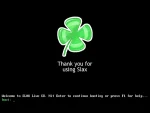
The following SLAX Boot CD can be used to boot SLAX 6.0.9 from a USB device on computers using a system bios that does not natively support booting from USB. It could also be used to boot SLAX Linux from a flash drive on an intel based Apple Mac, MacBook, or MacBook Pro that uses EFI instead of a bios. This SLAX USB Boot CD was created by Tomas M (the creator of SLAX) for SLAX.
Make a USB Boot CD for CrunchBang Linux
The following tutorial will enable you to create a USB Boot CD that can be used to Boot CrunchBang Linux from a USB Flash Drive on systems that do not natively support booting from USB. The USB Boot CD uses a grub bootloader to launch the vmlinuz kernel and initrd from the CD, loading the necessary USB drivers, and then proceeds to locate and extract the compressed filesystem from the flash drive. CrunchBang Linux is a unique remix based on Ubuntu.
Make a USB Boot CD for Linux Mint
This USB Boot CD can be used to boot Linux Mint 6 from a USB flash drive on computers with a BIOS that does not support booting from USB. Linux Mint is a remix based on Ubuntu. The USB Boot CD uses a grub bootloader to launch the vmlinuz kernel and initrd from the CD, loading the necessary USB drivers, and then proceeds to locate and extract the compressed filesystem from the flash drive.
Make a USB Boot CD for Kubuntu
This USB Boot CD can be used to boot Kubuntu 8.10 from a USB flash drive on computers with a BIOS that does not support booting from USB (including the Apple Mac, Macbook and, Macbook Pro). Kubuntu is a derivative of Ubuntu that uses the KDE desktop environment instead of Gnome. This boot CD loads the initrd and vmlinuz kernel from the CD and then loads the necessary USB drivers, proceeding to locate and extract the filesystem from the USB flash drive.
Make a USB Boot CD for Xubuntu
Much like a USB Boot CD that can be used to boot Ubuntu 8.10 from USB, this USB Boot CD can be used to boot a prepared Xubuntu 8.10 USB flash drive on computers containing a system BIOS that does not natively support booting from USB. The boot CD works by loading the initrd and vmlinuz kernel from the CD. Once the necessary USB drivers have been loaded, the boot CD proceeds to locate and load the filesystem from the USB flash drive.
Make a USB Boot CD for Ubuntu
This USB Boot CD can be used to boot a Ubuntu 8.10 USB flash drive on computers with a BIOS that does not natively support booting from USB. The boot CD contains a grub bootloader that loads the initrd and vmlinuz kernel from the CD and then proceeds to locate the filesystem on the USB flash drive. Because the USB drivers are preloaded from the initrd on the CD, the USB flash drive can then easily be detected.


Subscribe by Feed Reader
Subscribe by email