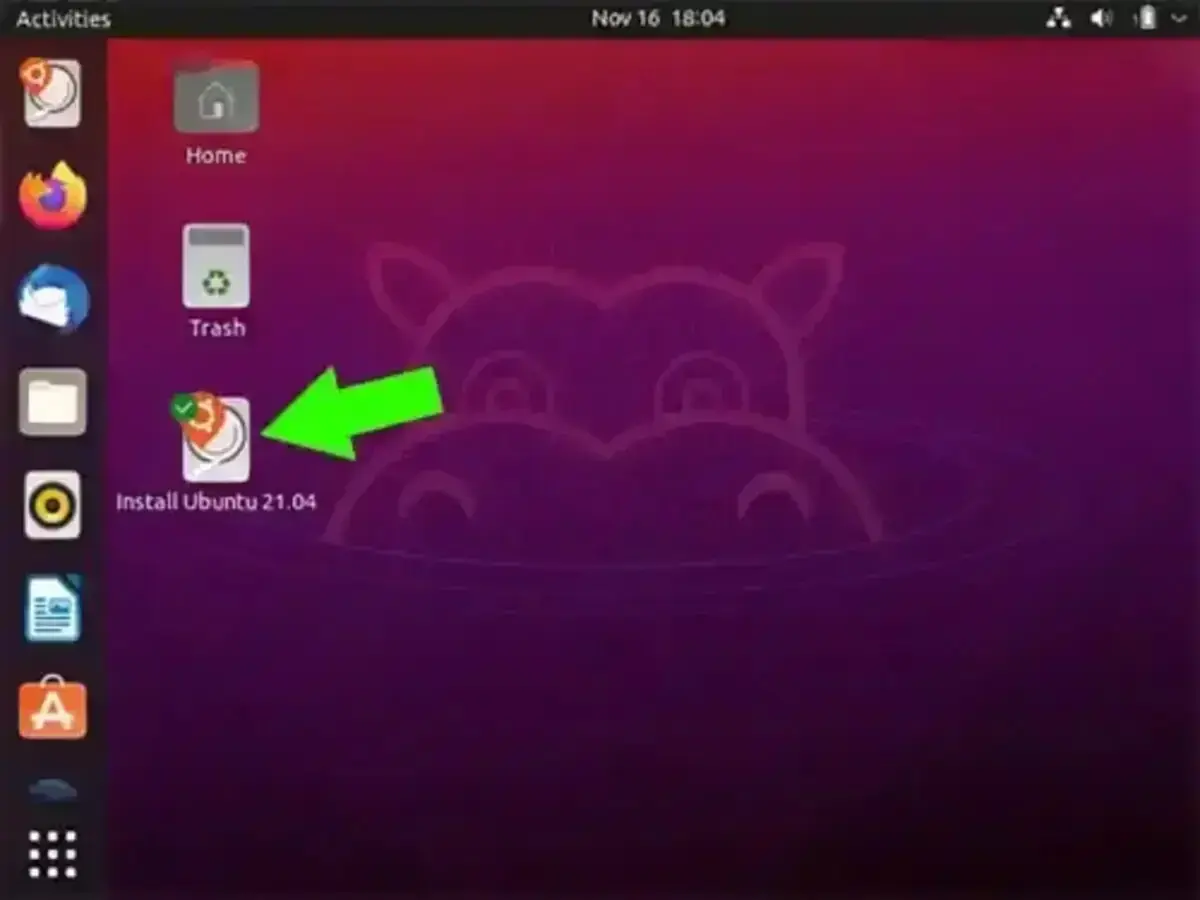
Easily create an Ubuntu bootable USB with persistence from a running Live CD. In the following segment I show you how to use the Official Startup Disk Creator, made by the Ubuntu team to put Ubuntu on a USB flash drive. Ubuntu's Casper Persistent feature can also be used for saving and restoring changes on subsequent boots.
Ubuntu is a popular open source Linux distribution created by Canonical Ltd. It was originally based upon and derived from Debian. As such, it continues to share many of the same upstream roots.
Distribution Home Page: Project Page
Offers a Persistent Feature: Yes
Essentials to Make Ubuntu Boot from USB from CD
- Computer with a CD/DVD Drive
- Ubuntu Live CD (up and running)
- USB flash drive
- Startup Disk Creator
The following method creates a Live Ubuntu USB that utilizes a compressed Squashfs file system. See how to fully Install Ubuntu on USB, if you would rather run Ubuntu from an external USB drive using a method that works exactly like it would running from an internal drive.
How to Create an Ubuntu Bootable USB from Live CD
To make Ubuntu boot from USB using the Live CD:
- Insert your Ubuntu CD and restart your computer, booting from the Live CD
- Insert a USB flash drive
- With recent Ubuntu versions:
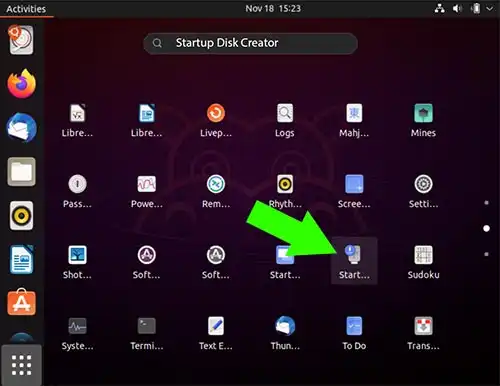
(1.) Click Show Applications from the bottom left corner of the desktop.
(2.) Then Search for Startup Disk Creator.
On older Ubuntu releases:
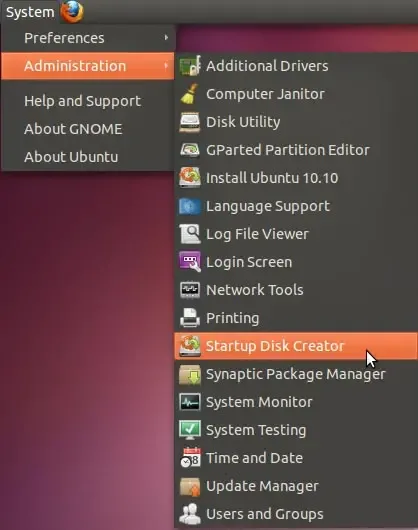
(1.) Navigate to System > Administration > Startup Disk Creator
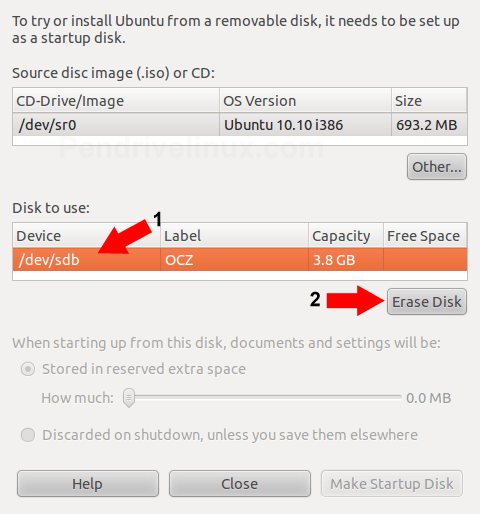
- (1.) Select your USB drive from Disk to use.
(2.) Then choose Erase Disk (Make sure you have backed up any important data first).
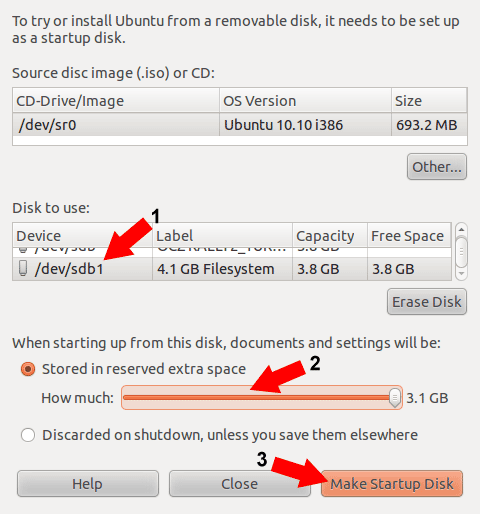
- (1.) Select the partition related to your flash drive,
(2.) For Persistence, select the option Stored in reserved extra space and adjust the slider to desired capacity.
(3.) Click the Make Startup Disk button:
- A progress bar should appears indicating the progression of the install.
- Once the installation has finished:
(1.) Remove the CD. Then proceed to restart your computer.
(2.) As your PC begins to reboot, enter your system BIOS or boot menu.
(3.) Finally, set your system to boot from the USB device. Save (F10) and proceed to startup from the USB drive.
If all went well, you should now be booting directly from your Ubuntu Bootable USB.
You can choose to either run Ubuntu Live, or Install Ubuntu from USB.