The following tutorial will show you how to easily install PCLinuxOS MiniMe 2008 to a USB flash drive using Windows. This enables a user to quickly create a portable version of PCLinuxOS MiniMe 2008 without having to go through the redundant steps of burning the iso to a CD and then booting from the CD to perform the USB flash drive install from another iso. We really like the latest release of MiniMe from PCLinuxOS and think you will enjoy it as well.
PCLinuxOS MiniMe 2008 is simple, small, clean and works very well on a USB flash pendrive.
Update: the fixMiniMe script now moves the extracted files to the flash drive automatically. It has been tested to work in both XP and Vista.
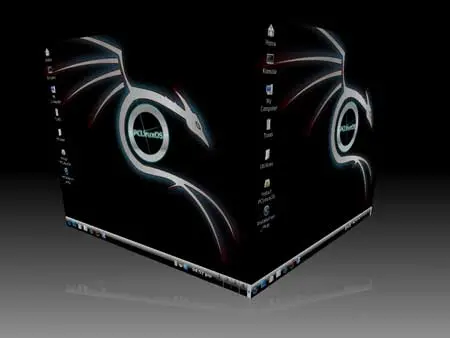
PCLinuxOS 2008 MiniMe Screenshot:
Essentials for installing MiniMe 2008 from Windows:
- PCLinuxOS MiniMe 2008 ISO
- fixMiniMe3.exe (does the USB conversion)
- 512MB or larger USB flash drive (we used a 1GB stick)
- A Windows host PC to perform the build
How to install MiniMe 2008 on a flashdrive using Windows:
This tutorial is Obsolete
- Download and run fixMiniMe3.exe, a MiniMe folder is created
- Download the PCLinuxOS MiniMe 2008 ISO and copy it in the MiniMe folder. More Download Links for the ISO can be found HERE
- From your MiniMe folder, click fixminime2.bat and follow the onscreen instructions
- Reboot your PC and select your USB device from the Boot Menu or system BIOS and proceed to boot MiniMe from your USB device
If all goes well, you should now be running MiniMe from a USB flash drive!
Creating the file for saving your changes (persistence):
- Boot your PC from USB MiniMe 2008 and login as root
- Open Konsole and type fdisk -l and locate which device is your flash drive
- type mkdir minime && mount /dev/sdx1 minime (replacing x with your flash drive letter)
- type dd if=/dev/zero of=minime/changes bs=1M count=256
- type echo 'y'|mkfs.ext3 minime/changes
- Reboot your PC and enjoy having the ability to save and restore your changes on every boot